

Portfolio CV template
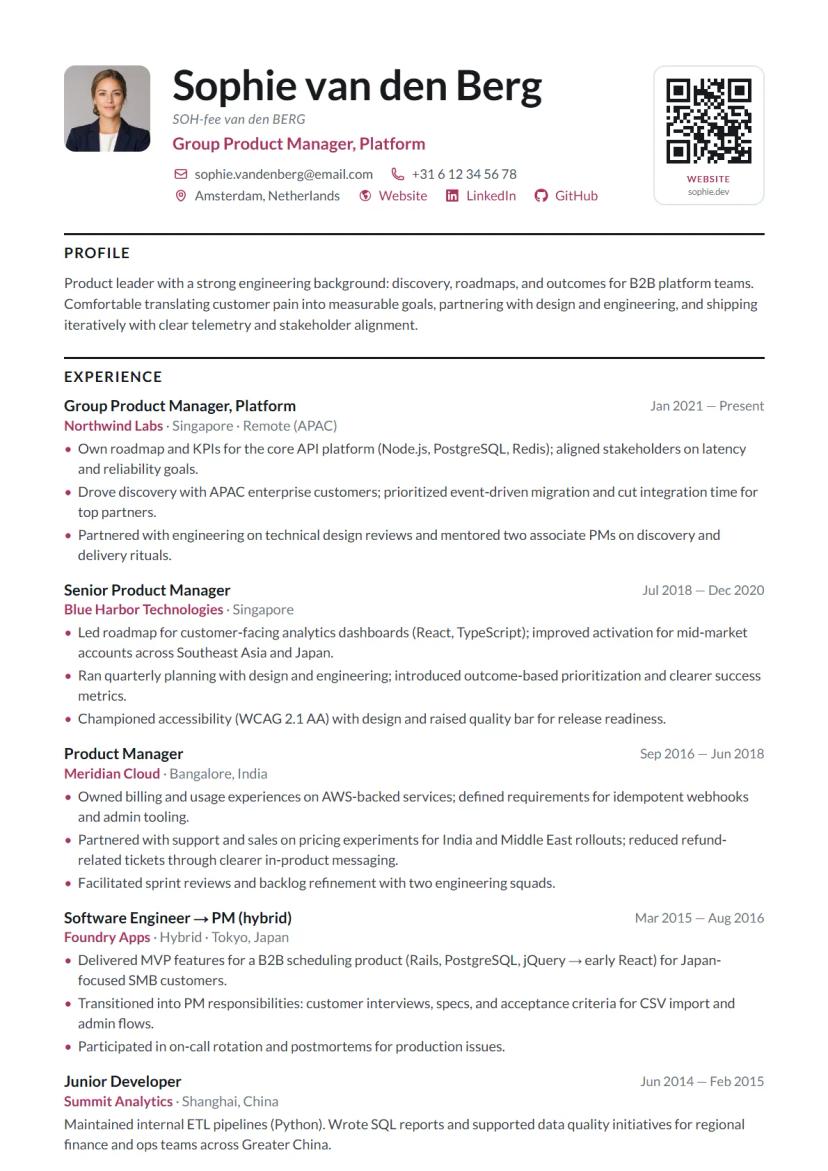
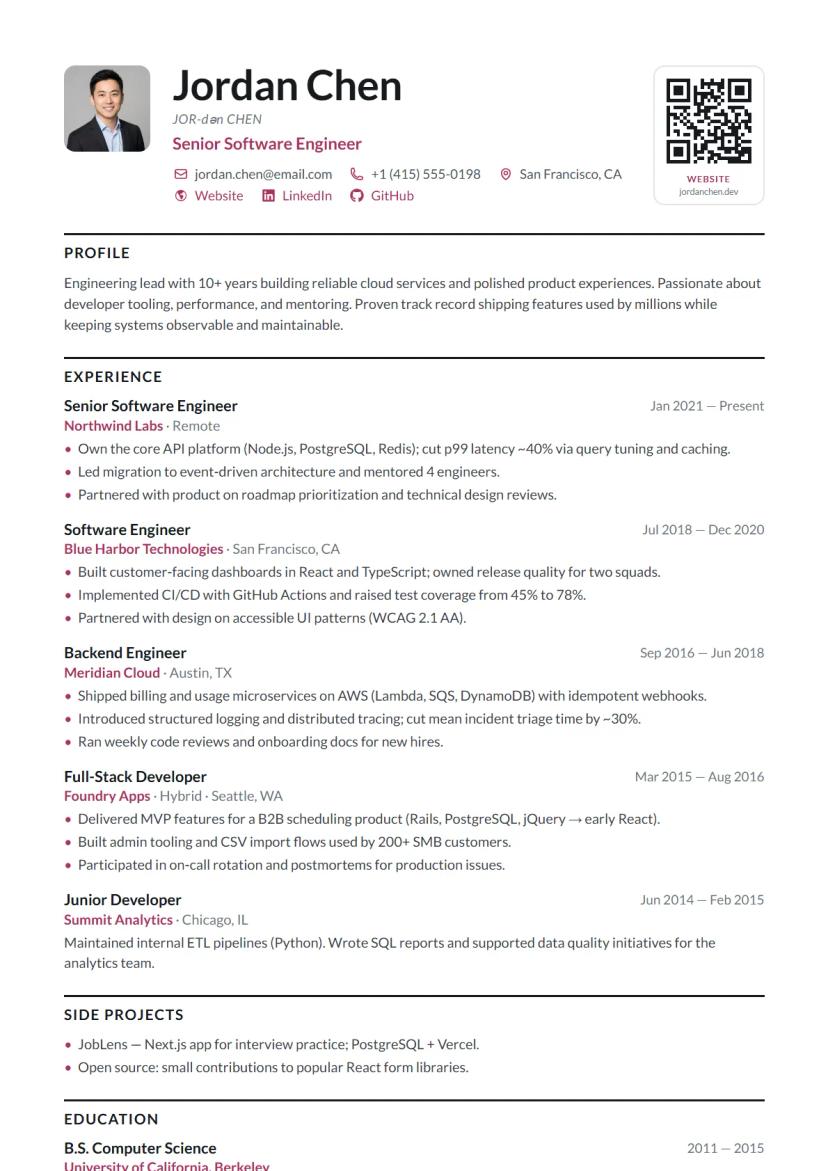
A QR code beside your name takes a reader from your printed CV to your website, LinkedIn profile or GitHub with one look through a phone camera. Around it: a bold name, clear rules between sections and nothing that gets in the way.
Free to edit and preview without an account. Download a clean PDF or an editable Word file with the $1.99 7-day pass or Pro.
Best for
- Designers, developers, writers and photographers with work online
- Career fairs, interviews and anywhere your CV is handed over on paper
- People whose LinkedIn profile says more than two pages can
- Freelancers and consultants with a website
What’s in the layout
- QR code generated from your own link, with a short form of the address printed under it
- The code is drawn as sharp vector shapes, so it scans at any print size
- Bold name, a rule above every section heading and skills as outlined tags
- On screen, the code and your contact details are clickable links
How the QR code works
There's nothing to set up. Fill in a website, LinkedIn or GitHub address in your contact details and the code appears. If you've filled in more than one, the code uses your website first, then LinkedIn, then GitHub. The code holds the address itself: it doesn't pass through a link shortener or a tracking service, and it never expires.
A printed CV is a dead end for anyone who wants to see more of your work. The code fixes that at a career fair or when your CV is on the table in an interview. Make sure the page it opens is worth the visit: recent work first, and the same name and job title as on your CV.
Tips for filling it in
- Use a short, clean address. Shorter addresses make simpler codes that scan faster.
- Scan the code on your own printout before you send or hand over your CV.
- No link yet? The template works without one: the header simply closes up.
Switch templates any time
Your text is kept separate from the design, so you can try Portfolio and switch to another template with one click, without retyping anything. The free preview PDF is watermarked. The pass and Pro give you a text-based PDF that applicant tracking systems can read. You can check the text with ATS view in the builder, or upload a CV for a free CV review.
Frequently asked questions
Should you put a QR code on a CV?
It helps when you have something worth showing and your CV may be read on paper: a portfolio, a project site or a detailed LinkedIn profile. It takes little space, and readers who don't scan it lose nothing.
Can applicant tracking systems read a CV with a QR code?
Yes. Parsers ignore the code, which is a drawing, and read the rest as normal text. The code is also a normal link in the PDF, like the Website, LinkedIn and GitHub links in your contact details.
Which link does the code open?
Your website if you've entered one, otherwise your LinkedIn profile, otherwise your GitHub profile. To change it, edit or clear those fields in your contact details.
Other CV templates
Start your CV in Portfolio
Pick a template, fill in the form and watch your CV take shape. Start free, no account needed.